 Pro
ProHunt Planning
A planned hunt is a safer, more successful hunt. ProHunt brings together every tool you need to prepare — weather forecasts, map analysis, stand assignments, team coordination, and gear tracking — into a single planning workflow before you ever leave the house.
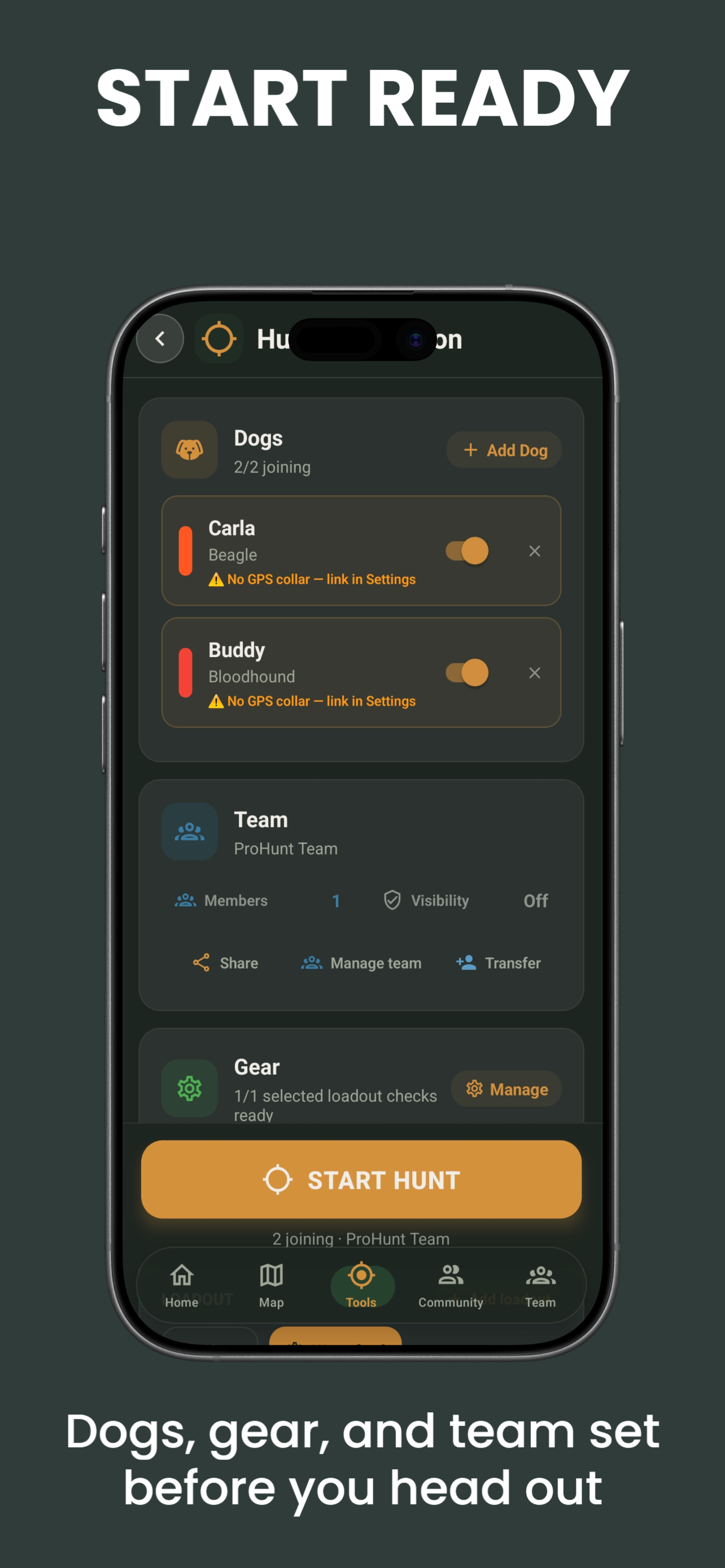
What Hunt Planning Covers
Hunt Planning in ProHunt is not a single feature — it is a workflow that draws on multiple tools:
- HuntCast forecast — identify the best days to hunt using the 0–100 hunt score (3-day free, 16-day Pro)
- Waypoints — mark stands, approach routes, parking, gates, and camp
- Map Drawing — draw drive routes, zone boundaries, and restricted areas
- Scent Cone — select stands based on wind favorability for your planned hunt time
- Team Tracking — assign stands to team members on the shared map
- Smart Gear — track equipment locations and prepare gear lists
Pre-Season Scouting Plan
Use ProHunt months before season opens to scout virtually:
Identify terrain features
Use satellite imagery + LiDAR to find saddles, pinch points, field corners, creek crossings, and bedding thickets. Drop waypoints at each candidate location.
Locate food sources
Use the vegetation layer to find oak stands, agricultural fields, and clear-cut regeneration. Cross-reference with satellite to identify mast crops.
Plan access routes
Draw approach lines from parking areas to each stand location. Identify which routes keep you downwind of bedding areas and feeding zones. Mark gates, fences, and water crossings as POIs.
Check property boundaries
Enable the cadastral layer to confirm all planned stand locations are on land where you have permission or legal access.
Day-Before Hunt Planning
Check HuntCast
Review the HuntCast forecast for your hunt area and identify the upcoming days with the highest hunt scores.
Check wind direction
Open the wind layer and note tomorrow morning's predicted wind direction. Assess each of your saved stands based on whether the wind keeps your scent away from the bedding and feeding areas you want to monitor.
Assign team positions
If hunting with a team, assign each member to a stand in the team view. Drop a named waypoint at each assignment so the morning is not spent discussing who goes where.
Download offline maps
If hunting tomorrow, confirm your offline maps are current and cover the planned hunt area.
Prepare gear
Review your Smart Gear checklist. Verify stand locations are recorded and equipment is accounted for.
Hunt Day Workflow
30 minutes before departure
Refresh HuntCast and check the live wind direction. Confirm the wind still favours your planned stand. If the wind has shifted overnight, check your backup stands.
At the parking area
Start Team Tracking so all members are visible on the shared map. Verify every member's GPS is updating before anyone enters the woods.
Navigate to your stand
Use the ProHunt map with your saved approach route waypoints. The GPS blue dot keeps you on course even in the dark.
During the hunt
Monitor wind arrows on the map. If wind shifts to put you downwind of game, consider moving to a backup stand rather than contaminating the primary area.
Saving a Hunt Plan
ProHunt lets you save named hunt plans as collections of waypoints and drawn areas. Create a plan for:
- Each property you hunt regularly
- Different seasons (archery, firearm, late season)
- Different wind directions (north wind plan, south wind plan)
- Different drive setups for team hunts
Sharing Plans with Your Team
Once a plan is complete, share it with team members via the ProHunt share function. Recipients receive a copy of all waypoints and drawn areas — the plan loads on their map automatically without any manual entry.
Frequently Asked Questions
- How many hunt plans can I save?
- Hunt planning tools — including team drive plans, shared annotations, and zone assignments — are part of ProHunt’s Pro team feature set.
- Can I share a plan with someone who does not have ProHunt?
- Plans are shared within your ProHunt team — all team members see shared plans, annotations, and zone assignments on the team map. Team features require Pro.